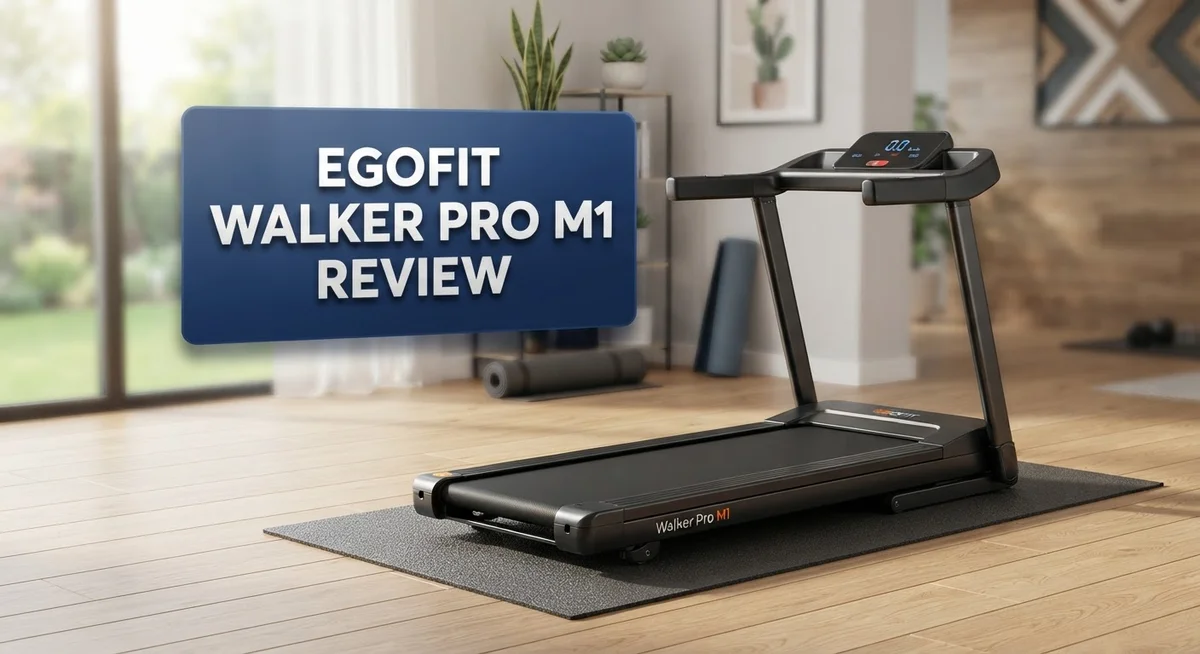
Egofit Walker Pro M1 Review: Is It Worth Your Money in 2026?
Do you sit all day and miss moving your body? The Egofit Walker Pro M1 wants to fix that problem. This under desk treadmill fits into small spaces and works quietly while you type or take calls.
Many buyers love its simple setup. You just unbox it, and it’s ready to use right away. No tools. No stress.
With a 4.63 star rating from nearly 1,000 users, this walking pad has earned real trust. People like its quiet motor and compact size.
But does it hold up over time? Some users worry about the plastic build. Others love how easy it rolls around the house.
This review breaks down every detail. We will cover specs, pros, cons, and how it compares to other walking pads on the market today.
In a Nutshell
Here is the quick rundown of the Egofit Walker Pro M1. Use this list to see if it fits your daily routine.
-
Motor power: A 2.0HP motor handles most walking speeds. It supports users up to 220 lbs.
-
Small footprint: This pad measures about 3 feet long. It slides under most desks without hassle.
-
Smart tracking: The LCD display shows your time, steps, distance, speed, and calories burned. You get instant feedback while you walk.
-
Quiet performance: Noise stays below 70dB. You can walk during calls without disturbing others.
-
Easy to move: Built-in wheels let you relocate the pad quickly. Storage becomes simple too.
-
One limitation: This model skips the incline feature found on the full Pro version. Flat walking is the only option here.
-
Compared to rivals: The WalkingPad C2 offers similar portability. The full Egofit Walker Pro adds incline and a higher weight capacity, but this M1 wins on space saving.
This snapshot helps you weigh function against footprint before you decide.
Motor Power and Weight Capacity
The motor in the Egofit Walker Pro M1 delivers solid performance for everyday walking. Its 2.0HP motor provides enough power to handle most users comfortably during steady-paced walks. You won’t experience lag or stuttering when you start moving or adjust your speed mid-stride.
The 220 lb weight capacity covers a wide range of users. This limit sits lower than the full Egofit Walker Pro model, which supports up to 450 lb. If you weigh less than 220 lb, you’ll have plenty of headroom. Heavier users should check this spec before purchasing to ensure a safe fit.
Motor strength matters for under desk walkers because they run continuously during work sessions. The M1’s motor stays quiet while delivering reliable power. You can walk for hours without the machine straining or overheating. Real users report smooth operation even during longer afternoon sessions.
The weight capacity connects directly to durability and safety. A motor rated for 220 lb means the frame, belt, and deck are engineered around that threshold. Exceeding this limit can damage internal components and create safety risks. The machine performs best when used within its design specifications.
Compared to competitors like the WalkingPad C2, the M1 holds its own. Both machines target office workers who want portable walking solutions. The M1’s motor handles similar speeds and distances without major differences in real world performance.
One trade off appears here: the M1 skips the incline feature. The full Egofit Walker Pro offers 9 incline levels up to 12 percent. If you want to build leg strength or burn extra calories through uphill walking, the M1 won’t deliver that. You get flat surface walking only.
The motor’s noise level stays below 70dB, which matters in shared office spaces. This quietness lets you walk without disturbing coworkers or family members nearby. The motor runs smooth enough that background conversations remain audible.
For typical users under 220 lb who want quiet, reliable walking during work, the M1’s motor power matches the job well. It won’t overwhelm you with features, but it handles its core task without complaint.

- 【12% Auto Incline for More Effective Home Workouts】Wellfit treadmill offers 0%–12% automatic incline, letting you...
- 【3.5HP Quiet Brushless Motor & 375 lb Capacity】This Wellfit walking pad treadmill is built with a solid frame and a...
Last update on 2026-10-28 / Affiliate links / Images from Amazon Product Advertising API
Design and Portability
The Egofit Walker Pro M1 packs a smart design that fits tight spaces. Its compact frame measures roughly 3 feet long, making it perfect for desks, apartments, and small home offices. You can slide it under most furniture when not in use.
The build uses hard plastic materials throughout. Some users report the construction feels lightweight, which raises durability questions over time. Others appreciate that this keeps the overall weight manageable for frequent moving.
Portability stands as a major strength here. Built in wheels let you roll the pad from room to room without heavy lifting. Setup takes minutes out of the box. Most owners report assembly feels straightforward and pain free.
The LCD display sits front and center. It shows time, steps, distance, speed, and calories burned in real time. This feedback keeps you motivated during work sessions without needing a phone or app.
One design choice worth noting: the M1 skips the incline feature. The full Egofit Walker Pro model offers up to 12% incline across 9 levels. If you want slope variations for hill training, you will need to step up to that version. For flat walking during desk work, the M1 handles the job fine.
Noise performance matters in shared spaces. This model keeps sound below 70dB, which means coworkers and family members stay undisturbed. The motor runs smoothly and quietly during continuous use.
The 220 lb weight capacity covers most users comfortably. This spec ties directly to safety and longevity. Staying within limits protects both you and the machine’s internal parts.
The design philosophy here is clear: keep it simple, keep it compact, keep it quiet. You sacrifice incline options and possibly some build robustness compared to pricier models. But if your goal is adding movement to your work day in a small footprint, the M1’s design delivers exactly that. The wheels and pre assembled setup mean you can start walking today, not next week.
Noise Level and Quiet Operation
The Egofit Walker Pro M1 operates at a noise level below 70dB, making it one of the quieter options in the under-desk walker category. This matters significantly if you work in a shared office or live with others who value a peaceful environment.
To put 70dB in perspective, that’s roughly equivalent to a normal conversation or background music in a coffee shop. You can talk on phone calls without the treadmill drowning you out. Coworkers sitting nearby won’t hear a constant mechanical hum that disrupts focus.
The quiet operation comes from the 2.0HP motor design. This motor runs efficiently without forcing excessive vibration through the frame. The compact footprint also helps reduce noise transmission to floors and nearby surfaces. When a machine is smaller and lighter, it typically vibrates less than a full-size treadmill.
Real users consistently praise the silent performance. The 4.63 out of 5 star rating (based on 996 reviews) reflects satisfaction with how quietly this pad operates during work hours. Many owners report they can walk for extended periods without disturbing others in their space.
One practical advantage: you can use the M1 during video calls or virtual meetings. The low noise means your microphone picks up minimal background sound. This flexibility lets you stay active without pausing your work schedule.
Compared to the WalkingPad C2, another portable option, the M1 holds its ground in noise performance. Both machines prioritize quiet operation for office and home use. The key difference lies in other features rather than sound levels.
The hard plastic construction contributes to the quiet performance. While some users note the materials feel less premium than heavier machines, this lighter build actually supports the noise reduction goal. Less mass means less vibration energy to manage.
If you’re sensitive to mechanical sounds or work in a noise-conscious environment, the M1’s sub-70dB operation fits your needs well. The machine lets you walk continuously while maintaining a calm, undisturbed atmosphere around you.
Top 3 Alternatives
Egofit Walker Pro M2

- THE WORLD’S SMALLEST WALKING TREADMILL-Our small treadmill for apartment special designed to fit with adjustable...
- YOU’LL BE 10 TIMES HEALTHIER WITH OUR UNDER DESK TREADMILL--Help you to Achieve your Exercise and Weight Loss Goals...
Last update on 2026-10-28 / Affiliate links / Images from Amazon Product Advertising API
The Egofit Walker Pro M2 builds on proven walker technology with improved stability features. This model offers enhanced maneuverability for users who need reliable support during daily activities. The frame design accommodates different user heights, making it accessible for many people.
The braking system on this walker provides consistent stopping power. Users appreciate the comfortable grip handles that reduce hand fatigue during extended use. The wheels roll smoothly on various floor surfaces, from hardwood to tile.
Sunny Health Fitness Walker

- 【Max 30-Inch Stride, Low-Impact Exercise】Experience smooth, joint-friendly movement that engages your arms, legs...
- 【Free Connected App】Pair SunnyFit App with the air walker at no cost—no hidden fees. Get expert guidance, track...

Last update on 2026-10-28 / Affiliate links / Images from Amazon Product Advertising API
Sunny Health Fitness Walker delivers lightweight construction without sacrificing strength. This option works well for people who need to move their walker between rooms or take it outdoors. The compact design fits through doorways easily.
The walker features adjustable height settings to match individual comfort needs. The hand grips provide good traction even when hands are slightly damp. Many users find this model simple to operate without complicated adjustment mechanisms.
Drive Medical Rollator Walker

- Stable Walking Support: The Drive Rollator Walker delivers reliable mobility assistance and improved balance, featuring...
- Smooth Indoor & Outdoor Navigation: Designed to support confidence while moving, this rolling mobility aid is built with...
Last update on 2026-10-28 / Affiliate links / Images from Amazon Product Advertising API
Drive Medical Rollator Walker combines mobility with practical features for active seniors. The four-wheel design offers better movement control compared to standard walkers. Users can navigate tight spaces and corners with greater ease.
This rollator includes a built-in seat, giving users a place to rest during walks. The storage basket underneath holds personal items, groceries, or medical supplies. The hand brakes engage smoothly and release without excessive force. The model works on both indoor and outdoor surfaces, making it versatile for different environments.
Display Features and Tracking
The LCD display on the Egofit Walker Pro M1 gives you real time feedback while you work. You see time, steps, distance, speed, and calories burned right on the screen. This information helps you track your daily movement without stopping your workflow.
The display sits at a convenient height where you can glance down and check your progress. Simple readouts mean no confusion. You don’t need to figure out complicated menus or settings. Just look and go.
Tracking your steps matters when you sit most of the day. The step counter logs every footfall, so you know exactly how much movement you’ve added to your work hours. Distance measurement shows how far you’ve walked in miles or kilometers. This gives you a clear picture of your activity level throughout the day.
Speed monitoring keeps you aware of your walking pace. The M1 lets you adjust your speed smoothly from a slow stroll to a faster walk. Watching the speed readout helps you stay consistent with your fitness goals. You can maintain your preferred pace without guessing.
The calorie counter tracks energy burned during each session. This feature appeals to users who watch their fitness metrics. Knowing how many calories you’ve burned adds motivation to keep moving. The display updates continuously, so you always see current data.
The compact design doesn’t sacrifice functionality. Even though the M1 sits under your desk, the display remains fully visible and easy to read. The screen uses standard LCD technology that works well in office lighting. Brightness stays consistent whether you’re near a window or under artificial lights.
Data tracking on the M1 focuses on essentials. You get the core metrics that matter for under desk walking. Unlike some competitors, the M1 keeps things straightforward. No unnecessary complexity clutters the display.
Real users appreciate how the tracking features encourage daily activity. Seeing your numbers climb throughout the day creates positive momentum. The display becomes your personal activity coach, pushing you to stay active during work sessions. This simple feedback loop helps build lasting walking habits.
Build Quality and Materials
The Egofit Walker Pro M1 uses hard plastic materials throughout its frame and deck. This choice keeps the unit lightweight and portable. The plastic construction feels solid during normal use, though some owners report concerns about long term durability with heavy daily activity.
The frame connects with reinforced joints at key stress points. The walking surface itself provides a smooth, textured deck. This texture helps your feet stay secure while you walk at different speeds.
Build quality shows attention to practical details. The wheels roll smoothly on most floor types. The motor housing sits protected within the plastic casing. Cable management stays hidden underneath, which keeps the top surface clean and uncluttered.
The LCD display panel mounts securely at eye level. The buttons respond quickly to your touch. The screen itself resists scratches and remains readable from various angles.
One construction consideration involves the weight capacity. The M1 handles up to 220 pounds comfortably. The base remains stable even when users near this limit. The deck doesn’t flex or wobble during steady walking sessions.
The compact footprint measures approximately 3 feet long. This length works well under most standard desks. The narrow width fits between chair legs easily. The height sits low enough that you can walk while seated at your desk.
Material choices reflect the design philosophy here: simplicity and portability. Heavier materials would make the unit harder to move between rooms. The lightweight plastic allows you to roll it away after work sessions.
Real users appreciate the straightforward construction. The pre assembled design means minimal setup time. Most owners report the treadmill feels stable from day one. The joints stay tight through regular use.
The plastic materials don’t trap heat like metal frames do. This helps the motor run cooler during extended sessions. The ventilation design prevents heat buildup around the motor housing.
Overall, the M1 prioritizes function over premium materials. The build quality supports its intended use as a portable under desk solution. Users who expect heavy gym equipment durability may have different expectations, but for office and home use, the materials serve their purpose well.
Pros and Cons
Pros
- Arrives pre assembled and ready to use straight out of the box
- Compact footprint fits under most desks without taking up floor space
- Wheels make it easy to move between rooms or store away
- Operates below 70dB, so you can walk during video calls and meetings
- High user ratings of 4.63 out of 5 stars from nearly 1000 reviews
Cons
- Hard plastic materials feel less sturdy than metal frame alternatives
- No incline feature, unlike the full Egofit Walker Pro model with 9 levels
- Some users report the frame feels flimsy during extended use sessions
Who Should Buy It
The Egofit Walker Pro M1 works best for people who sit at desks most of the day. If you spend 8+ hours in a chair, this machine helps you add movement without leaving your workspace.
Remote workers love this model. You can walk during video calls, emails, and document reviews. The quiet operation below 70dB means your colleagues won’t hear typing sounds or motor noise through your microphone.
Students benefit from this treadmill too. You can study while walking slowly. The LCD display tracks your steps and distance, so you build a habit of movement during long study sessions.
People with limited space should consider the M1 seriously. The compact 3-foot design fits under most standing desks. You get a full walking experience without needing a dedicated gym room. The wheels let you roll it away when you need floor space back.
This model suits users who want simplicity. You don’t need to learn complex settings or adjust inclines. Just step on and walk. The pre-assembled design means setup takes minutes, not hours.
Weight matters here. The 220-pound capacity works for most adults. If you weigh more, the full Egofit Walker Pro model offers 450-pound capacity instead.
Casual walkers benefit from the M1 more than serious runners. This isn’t a machine for sprinting or intense cardio. It’s designed for steady, gentle walking during work or study time.
People who travel between rooms appreciate the portability. Move it from your bedroom to your living room easily. Store it in a closet when guests arrive.
Budget-conscious buyers should know this sits in the mid-range market. You’re paying for the compact design and quiet motor, not metal construction. Some users report the hard plastic frame feels less sturdy than heavier alternatives.
If you want incline options for hill training, look elsewhere. The M1 has no incline feature. The full Pro model offers 9 incline levels if you need that capability.
The M1 targets office workers, students, and anyone fighting sedentary habits. It’s not for athletes or people seeking intense workouts. It’s for people who want to move more while staying productive.
Final Verdict
The Egofit Walker Pro M1 earns its spot as a solid under desk treadmill. It delivers on its main promise: helping you move more during work hours.
This model shines for anyone who wants a simple walking solution. It skips fancy features and focuses on core function instead.
Who should buy this?
Office workers, students, and anyone stuck at a desk will find real value here. The M1 fits into daily routines without much fuss.
Runners and serious athletes should look elsewhere. This treadmill serves walkers, not sprinters.
If you need higher weight capacity or incline options, the full Egofit Walker Pro model makes more sense. That version offers 9 incline levels and supports up to 450 lbs.
For most casual users though, the M1 covers the basics well. Quiet operation and portability stand out as its strongest features.
Some buyers may feel let down by the plastic build. This tradeoff comes with the compact, lightweight design though.
You gain ease of movement and storage. You lose some durability that heavier frames provide.
Customer ratings tell a clear story. With 4.63 out of 5 stars from nearly 1000 reviews, satisfaction runs high among real users.
This treadmill won’t replace your gym routine. It works best as a tool to fight sedentary habits during work hours.
Think about your daily schedule. Do you sit for long stretches at a desk or table?
If yes, the M1 could change how you move throughout the day. Small changes like this add up over time.
Final thought: The Egofit Walker Pro M1 delivers a practical, no-frills walking experience. It won’t impress everyone, but it does its job well for the right user.
Choose this model if you value simplicity and portability over premium build quality. Your daily step count will thank you.
Frequently Asked Questions
Is the Egofit Walker Pro M1 good for people who aren’t athletes?
Yes, absolutely. This model works best for casual walkers who want light activity during their workday. The M1 keeps you moving without demanding athletic performance. Office workers, students, and anyone spending hours at a desk will see real benefits.
The slow, steady pace helps you stay active without breaking a sweat. You can answer emails or take calls while walking. This treadmill fits people who want simple movement, not intense training.
Can I move the Egofit Walker Pro M1 between rooms easily?
Yes. The built in wheels make relocation simple. You can push it from your bedroom to your living room in seconds. Storage is easy too since the compact design fits in closets or under furniture.
This portability appeals to people who work in different spaces. Move it where you need it most. The lightweight frame helps when you want to reposition it.
Does the M1 work during video calls or meetings?
Yes, it operates below 70dB, which means quiet performance. Your colleagues won’t hear the motor running. You can walk and talk without audio interruptions.
This feature makes the M1 ideal for remote workers. Stay active during conference calls. The noise level keeps meetings professional and distraction free.
What’s the main difference between the M1 and the full Egofit Walker Pro?
The full model offers 9 incline levels up to 12 percent. It also supports higher weight capacity at 450 pounds versus 220 pounds on the M1. The M1 focuses on simplicity and portability instead.
Choose the M1 if you want flat surface walking. Pick the full model if you need incline training or heavier duty support. Both serve different needs and user types.

DK is a passionate wellness advocate and product reviewer dedicated to helping readers make informed decisions about health-enhancing tools and devices. With a keen eye for quality and functionality, DK provides honest, thorough reviews and comparisons to support your journey toward better living.